Ingress First Saturday Bot Guide
Welcome to the documentation for the Ingress First Saturday Telegram Bot from DhrMekmek.
This bot can:
- Process Ingress statistics
- Process photos (if your event requires it)
- Provide messaging between IFS organizers and players
The bot started as a simple web based form for stats submission. When First Saturdays moved online during COVID, it was rebuilt as a Telegram bot to better support virtual events — with photo verification as a key addition. Since then it has grown into a full onsite tool, supporting local check-in and verification at in-person events.
About the Bot and General Tips
Pros
- One input method for both stats and pictures
- Agents get feedback on their stats submission
- You can contact any participating agent
- You see top X lists for a wide variety of stats
- When photos are mandatory, it matches agent stats with photos
- You can send out reminders to agents to submit stats and/or photos
- You can send out passcodes to all participating agents personally
Cons
- It is extra work. You need the normal Auto Score Sheet setup, and on top of that the bot.
- It is reliant on Telegram, so the bot won't work if Telegram experiences an outage.
A bot support channel is available for IFS organizers in case additional assistance is needed:
https://t.me/joinchat/BbhyBFY7k9MI_mwHdpan4A
Bot Creation/Customization
Above everything else, we first need an actual Telegram bot. You need to create this bot yourself with @botfather.
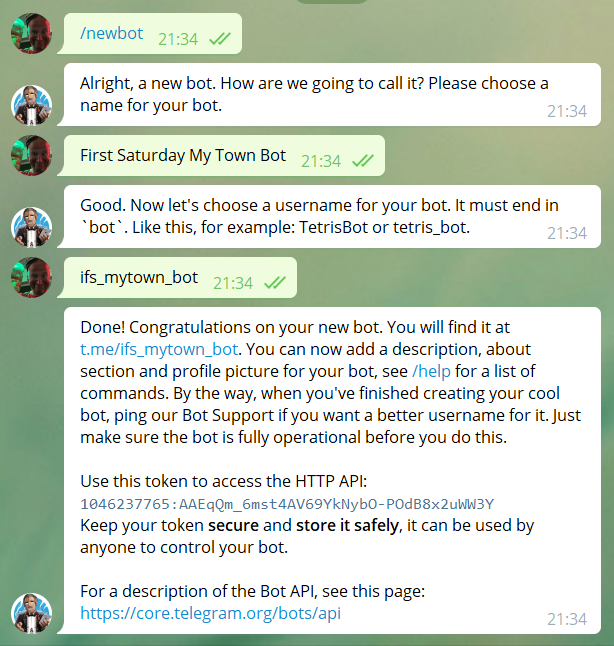
Using @botfather, the bot can be customized with an avatar photo (Botpic) and a description. It will make your bot look a lot better!
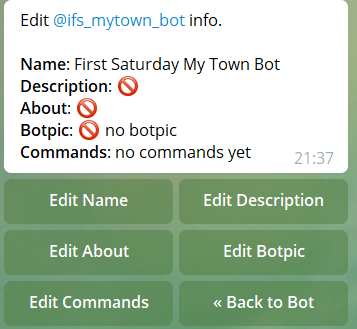
- Description: what users will see when they open a chat with the bot
- About: info that describes what the bot does
- Botpic: the picture (or avatar) associated with the bot
- Setting Commands is not necessary since the IFS Bot does not use commands.
Organizer Telegram Group
You need to create a Telegram supergroup (history turned on) that includes:
- Your event bot
- Event POCs
- Additional helpers/volunteers (at the request of POCs)
This group is for pre-event discussion/questions about the bot. During the event, this channel will show all incoming stats, photos, and any other messages that users have submitted through the bot. From within this group, you can also reply to users that have submitted a message through the bot.
Everything posted in this group shows incoming submissions, and serves as a backup. If for whatever reason the system crashes, this group will show all the stats and all the photos that have been submitted.
Auto Score Sheet
You need to set up the Auto Score sheet provided by FevGames. The template can be found here:
https://fevgames.net/ingressfs/auto-score-sheet/
Make a copy, set as Viewer for everyone. Make sure you follow all FevGames instructions, and set up this sheet as normal.
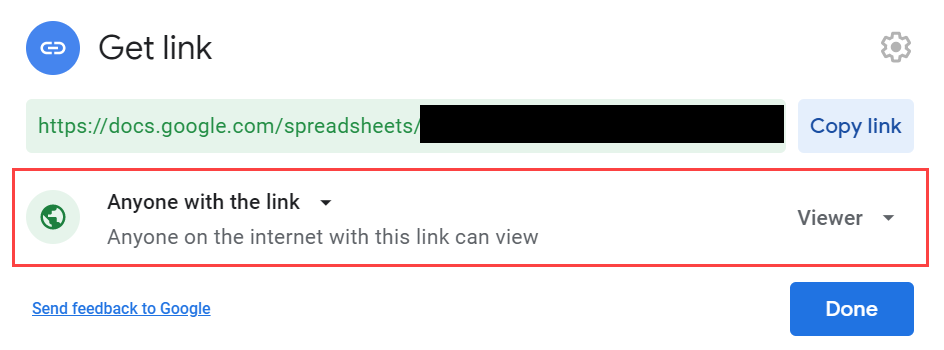
When you use the bot, the actual mechanism from the Auto Score Sheet is not used. However, we will use this sheet to pass data to FevGames. If for some reason the bot fails during the event, you have the Auto Score Sheet as a backup.
Bot Setup/Connect
Go to https://t.me/IFS_Manager_bot and run through the steps to set up the bot for the upcoming event.